
|
|||
A linear what flow?If you are one of those people that never gave color management (or the fact that the display is nonlinear) a single thought, this site will take you on a journey through some interesting revelations. If you are rendering with no color management or no gamma correction to an off-the-shelf sRGB monitor, you have effects like 2+2=10, and as far as I recall from school, two plus two is NOT ten! 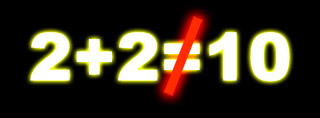 Click the logo above to enter. The short versionIn a nutshell: rendering algorithms (or any other mathematical operation on pixels) only work correctly in a linear color space, where the numbers are corresponding linearily with actual amounts of light. But your off-the shelf computer monitor is - by design - not a linear device. Someone (or something, somewhere in the pixel pipeline) must handle this "discrepancy". Many people know this, and understand this, and handle the color management pipeline correctly. But a staggering amount of people are completely unaware of the issues, and do things incorrectly. What is worse, the defaults in many popular off-the-shelf digital content creation applications are incorrect, forcing anyone using them out-of-the-box to adopt a default workflow that is incorrect. Which may lead to them to - unbeknownst to themselves - work incorrectly!This site is dedicated to explaining the issues, and to explain, in a practical way, how to deal with the issues. |
 LinearWorkFlow.com (WARNING: Actually, don't, I tried one and the print quality leaves something to be desired) 
Far too many renderings are done with no regard to any form of color management, let alone a simple gamma correction. This is demonstrably wrong. |
||
By Zap Andersson, @MasterZap